Find the right guidance
Ask “How do I request an NDA review?” or “Where is the supplier agreement template?” without knowing which folder or form to open.
 KINESIS LAB
Legal and compliance support with a built-in AI assistant.
Help your teams find the right template, understand internal processes, and prepare a request through conversation. Bring AI assistance, documents, and request tracking into one branded workspace.
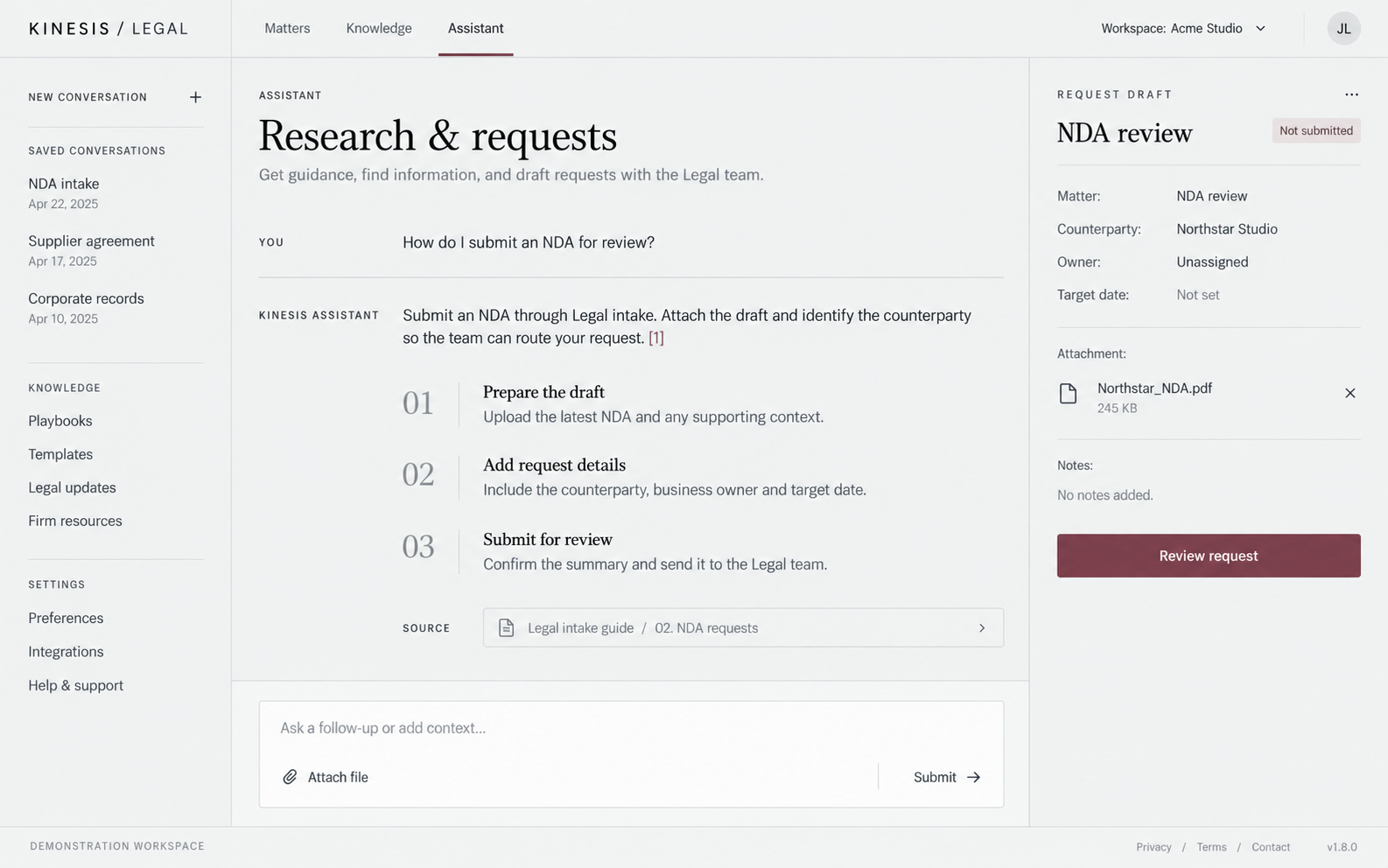
Give employees a conversational starting point for FAQs, templates, and request support. The assistant helps them navigate your organization’s approved content and service processes.
Ask “How do I request an NDA review?” or “Where is the supplier agreement template?” without knowing which folder or form to open.
Shape the assistant around your FAQs, internal guidance, and template library. The proposed experience links answers to supporting content employees can check.
Gather the purpose, relevant details, and supporting files in a draft. Let the requester review the information before submitting it to the team.
Make request status and next steps easier to understand, within the access rules defined for your implementation.
Design request actions around explicit confirmation, so employees can review what will be submitted or changed before it happens.
Keep a direct path to the Legal & Compliance team for interpretation, exceptions, and decisions that need professional judgment.
The assistant supports internal guidance and request handling. Legal opinions, approvals, and compliance determinations remain with your designated team.
A contract arrives by email. A template is shared in a chat. A follow-up sits in another thread. The team has to reconstruct the request before it can move forward.
Legal & Compliance Helpdesk brings intake, supporting documents, status, and updates into a shared process. Employees know where to ask, and the team has a clearer view of the work.
Give requesters visibility into their submissions and give the team the information needed to review, assign, and follow up.
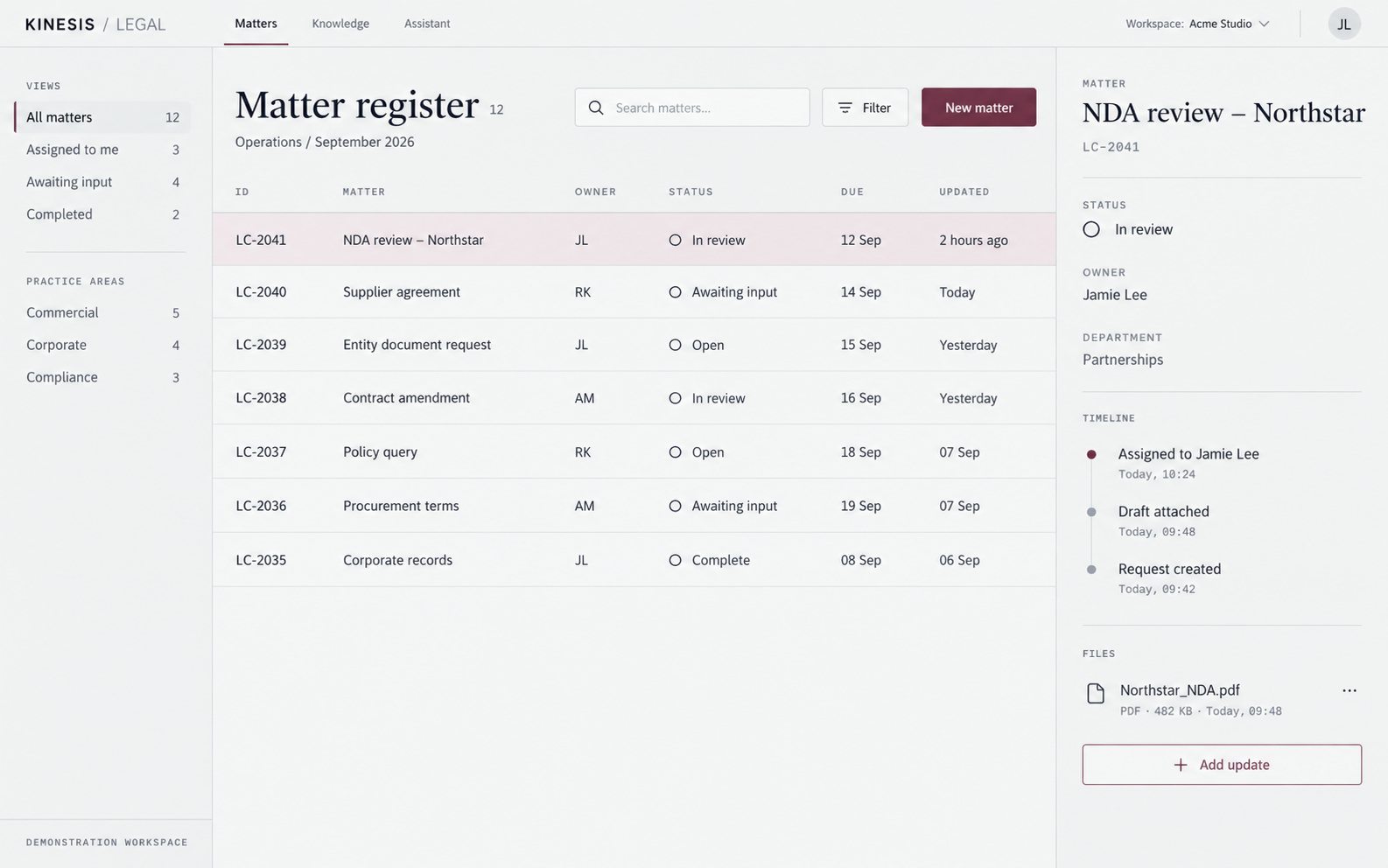
Capture the request type, background, business context, and relevant attachments at the start. Tailor the fields to your service model.
Show open requests, work awaiting input, and completed items. Make ownership and the current stage clear to the people involved.
Keep questions, responses, and supporting files with the request so follow-ups and handovers have the context they need.
Bring commonly used templates, request forms, and corporate documents into an organized library, with AI assistance available when employees need help finding the right starting point.
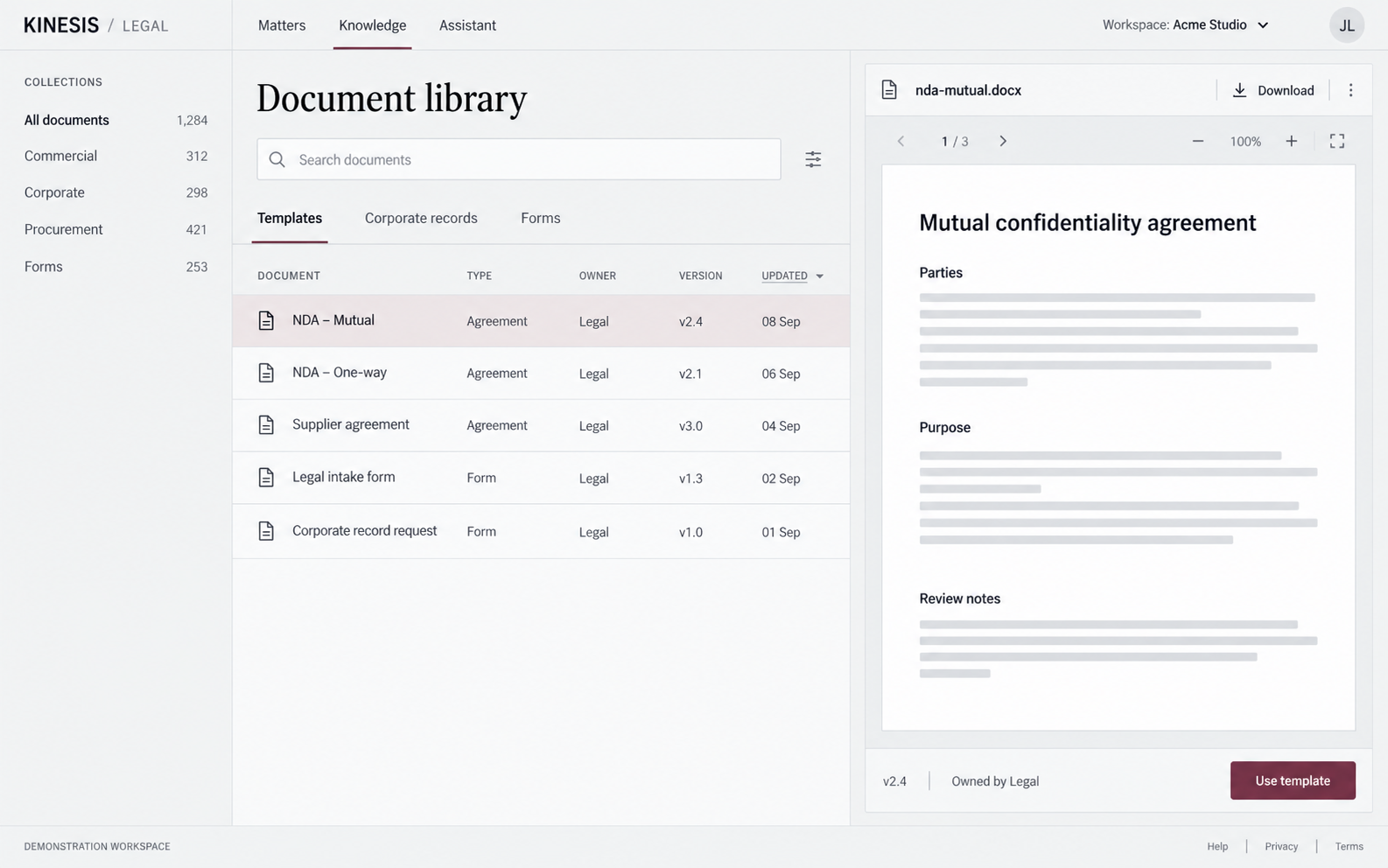
Organize resources for general legal requests, procurement, real estate, and other agreed service areas.
Provide a defined place to find company reference documents and entity information, with access scoped to the intended audience.
Agree who publishes and maintains the library, how revisions are reviewed, and which content the assistant may use.
Define the service catalog with your Legal & Compliance team. Example categories can include:
Collect the draft, counterparty details, purpose, and requested review date in a structured submission.
Help employees locate internal policies and route questions requiring interpretation to the responsible specialist.
Request entity documents, approved reference information, or the right form through a consistent process.
The Kinesis Lab identity shown here is a showcase. We adapt the experience to your organization’s language, ownership structure, and ways of working.
Discuss your requirements ↗Your logo, colors, naming, business units, and employee-facing content.
Agreed intake fields, assignment rules, status definitions, response expectations, and confirmation steps.
Approved sources, supported questions, access boundaries, answer review, and handoff to specialists.
Identity, document access, retention requirements, and connections to existing systems scoped during discovery.
Start with the requests and resources that matter most, then validate the experience with your business users and specialists.
Identify service categories, request owners, document sources, and current bottlenecks.
Shape the interface, intake forms, workflows, library, and assistant scope.
Review sample questions, source references, request actions, and access requirements with your team.
Launch the agreed scope and refine the experience using feedback and service activity.
Tell us how your team handles requests today.
We’ll define the helpdesk and AI assistant around your needs.