Your ideas deserve more than an attachment. Turn presentations into interactive experiences that stay current, reach the right people and bring your audience with you.
Kinesis Present product concept. Screens and audience data are illustrative. Select any image to view it at full size.
01 / The opportunity
The story should keep moving.
A presentation rarely ends when the meeting does. It gets forwarded, revisited, updated and used to make decisions.
Yet the workflow often revolves around a file: another copy in an inbox, another version in a folder, another link to content that has already changed. The presenter loses context. The audience loses the thread.
Kinesis Present is designed around a different starting point: the presentation as a web experience. Give it a place to live, a clear owner, a controlled audience and a path from the live conversation to the next decision.
02 / The experience
Publish. Share. Present. Understand.
01 / PUBLISH
A home for every presentation.
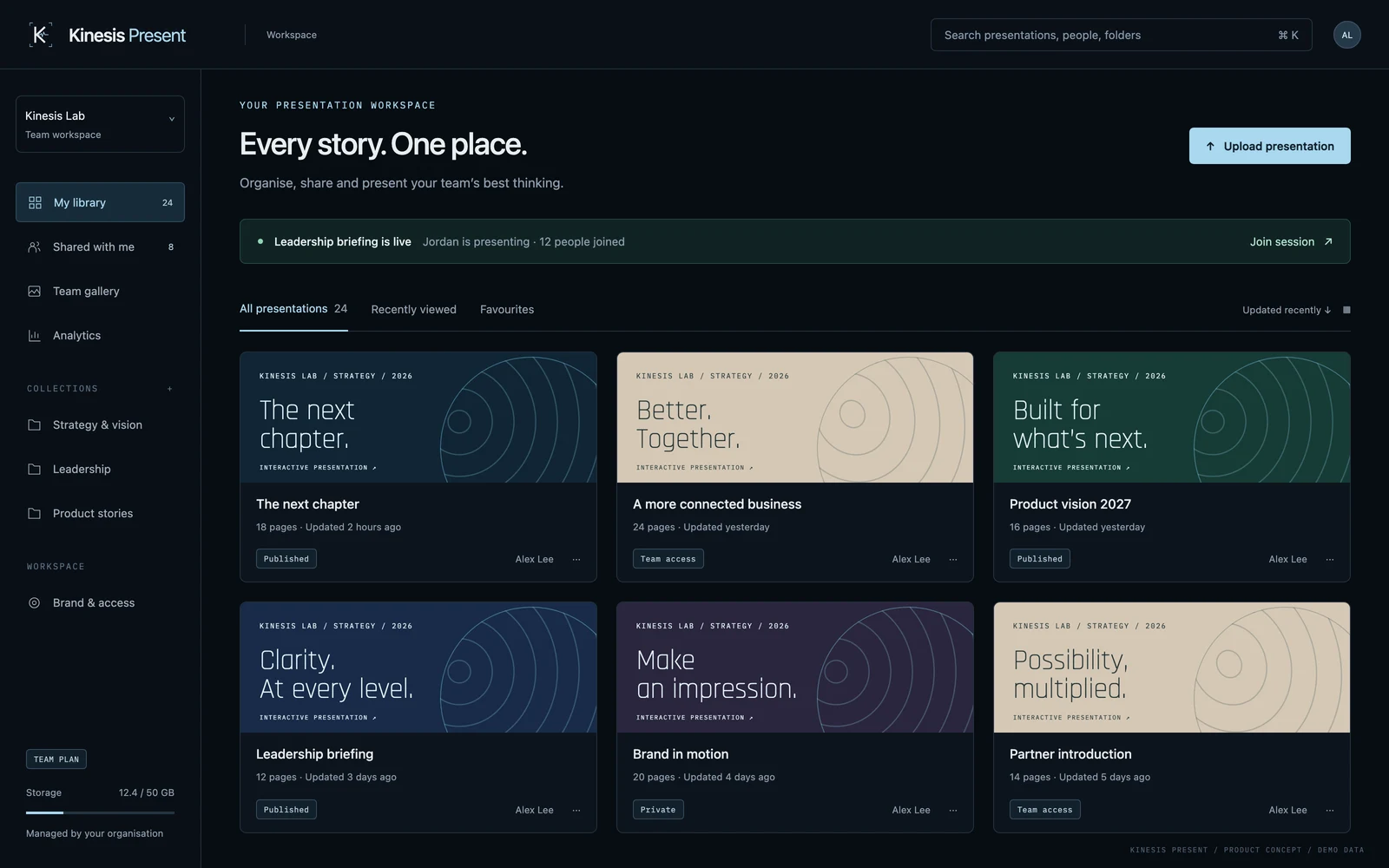
Bring web-based presentations into a shared library. Organise them into collections, add context and tags, and make the right story easier to find. Clear ownership keeps the workspace useful as your content grows.
02 / KEEP CURRENT
One link. The latest story.
Update a published presentation without starting another attachment chain. Your audience returns to the current version through the same link, while version history gives owners a record of what changed.
03 / SHARE
Access with intention.
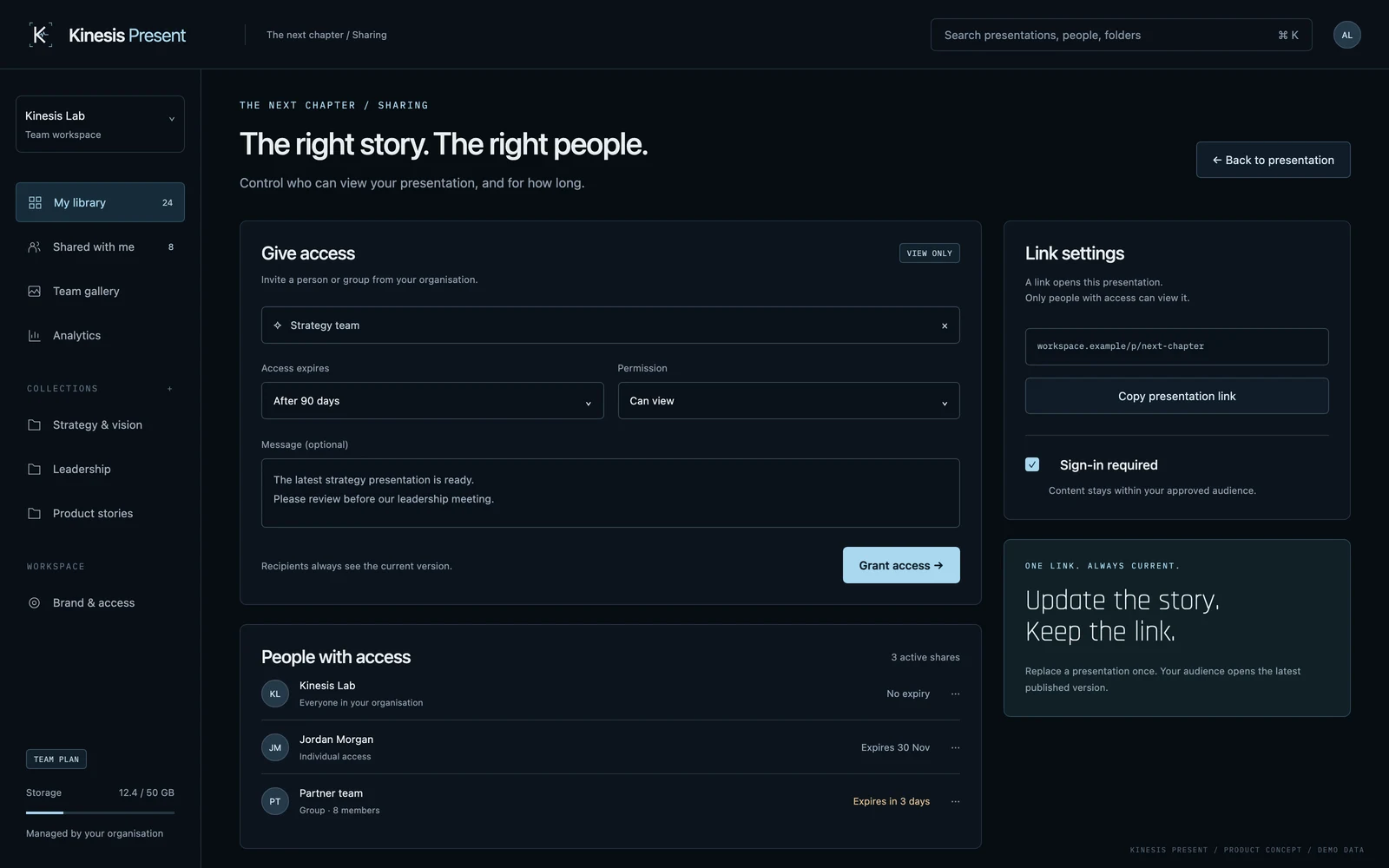
Share with a person, a group or your organisation. Set an expiry for time-sensitive material and revoke access when it is no longer needed. A copied link and permission to view are separate decisions.
04 / PRESENT
Bring the room with you.
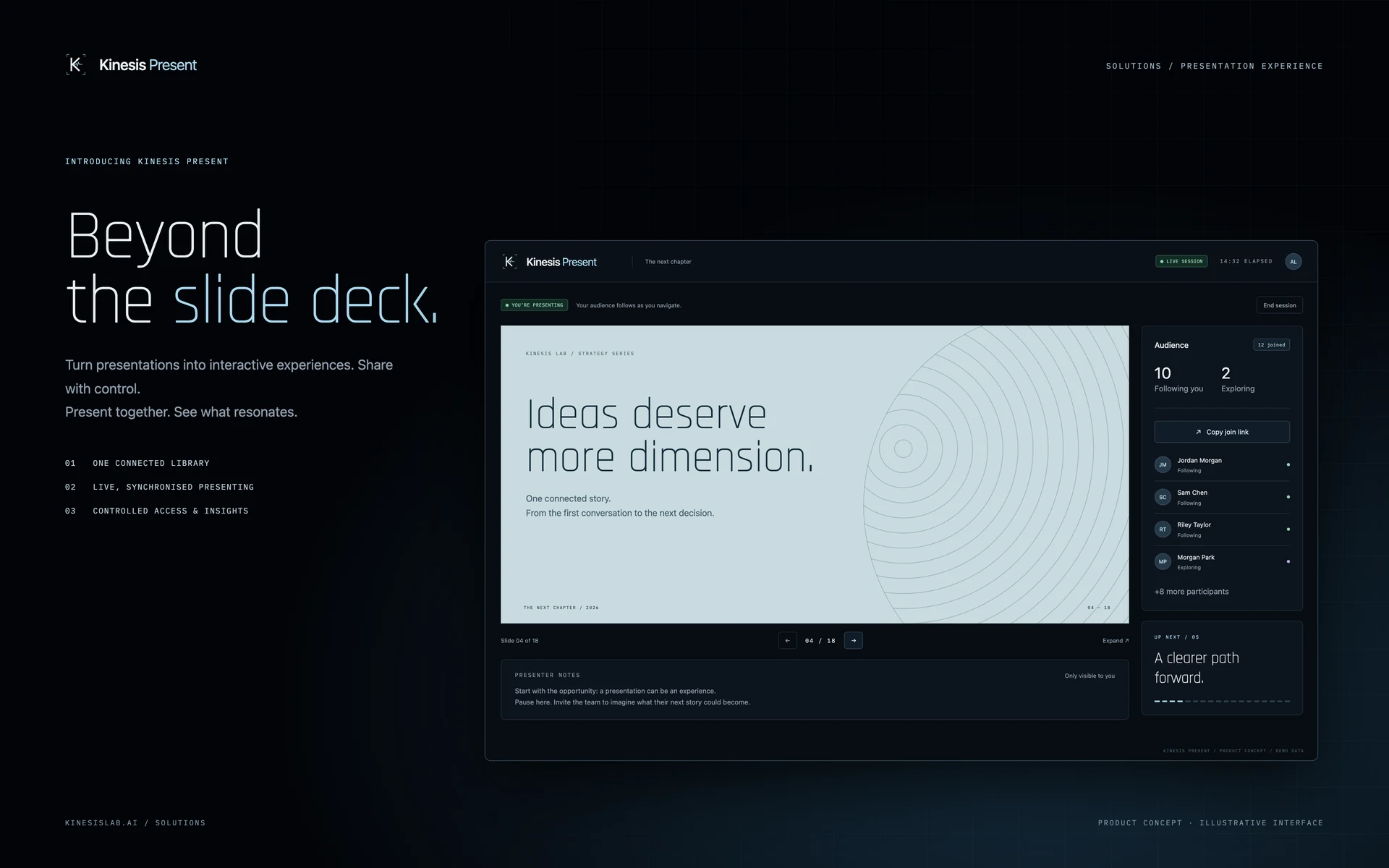
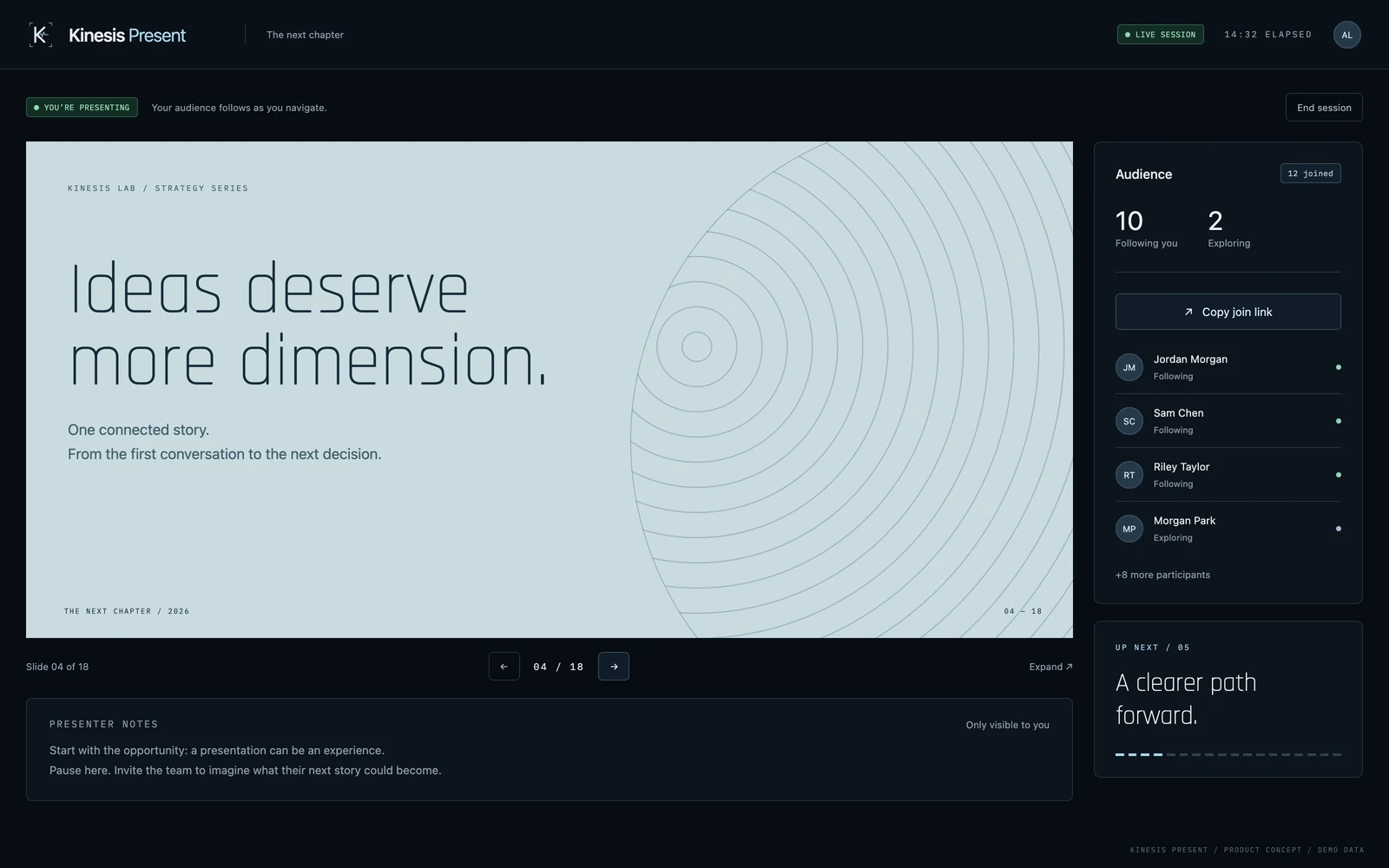
Lead a synchronised live session with a clear view of who has joined. Attendees can follow your navigation, explore at their own pace and return to the presenter’s place in the story.
05 / UNDERSTAND
See what happens after sharing.
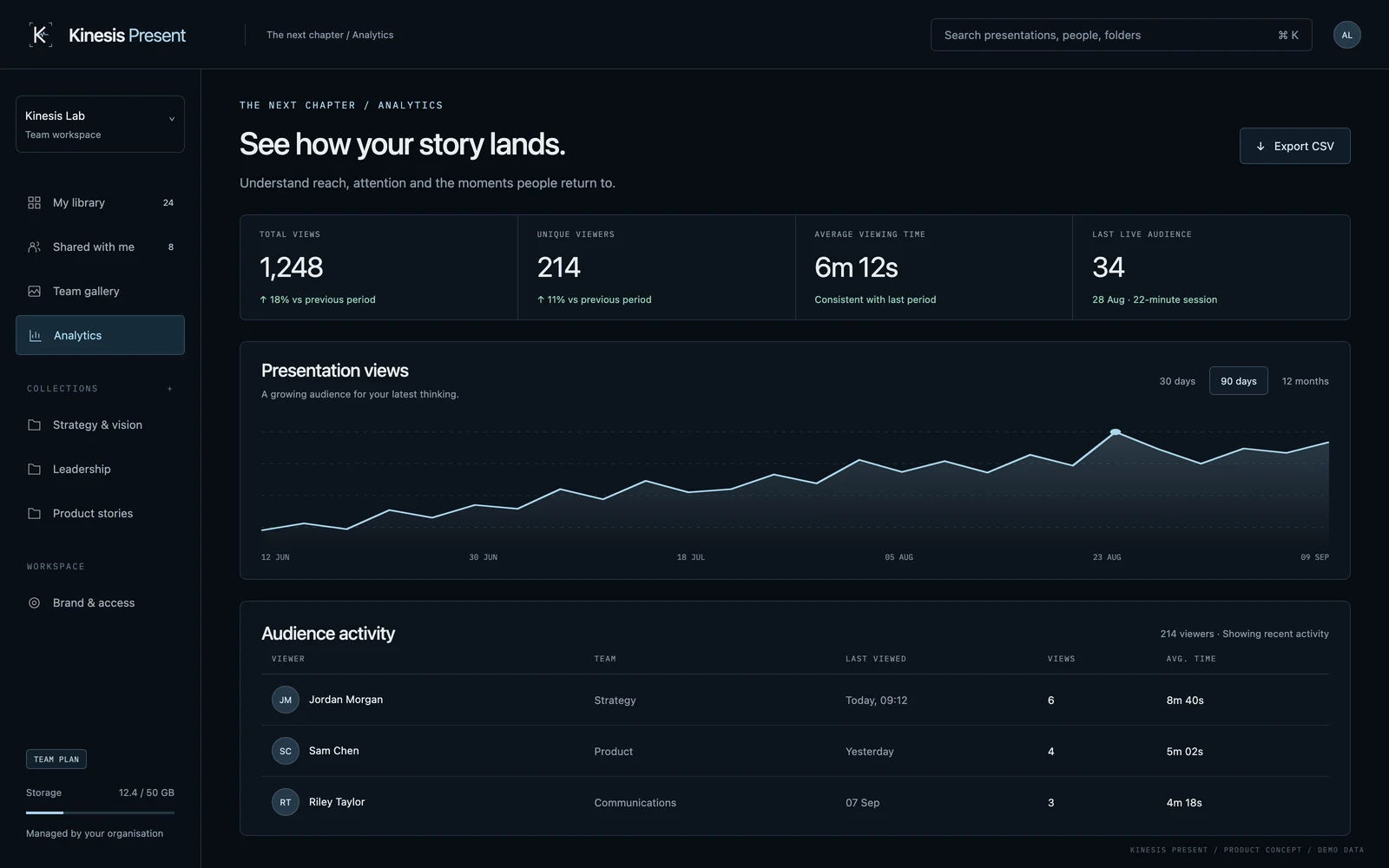
Move from sending content to understanding its audience. Presentation views, unique viewers and viewing time help you see which stories are being opened and revisited.
06 / MAKE IT YOURS
Your brand, throughout.
Shape the workspace around your organisation’s identity. A consistent visual language connects the library, presentation viewer and sharing experience, with roles and access rules defined for your team.
The library brings published content, collections and live activity into one workspace.
Choose an audience and an access window.Understand reach and viewing activity. Metrics shown are demo data.
03 / From content to conversation
A clear path to the audience.
01
Bring the story.
Upload a web presentation as an HTML file or a self-contained ZIP package. Give it a title, description and a place in your library.
02
Choose the audience.
Publish the presentation, then grant access to the people or teams who need it. Set an expiry when the context calls for one.
03
Lead the moment.
Present live with synchronised navigation, or let recipients open and explore the presentation in their own time.
04
Keep it useful.
Review audience activity, update the content and keep the same published link in circulation.
Live presenter concept. Presenter notes and next-slide preview are proposed enhancements.
04 / A different workflow
Beyond the attachment.
The shift is in how content reaches people and stays useful after it arrives.
An attachment-based workflow
The Kinesis Present approach
A new file for every revision.
A current published presentation behind a consistent link.
Content scattered across inboxes and folders.
A shared library with collections and clear ownership.
Forwarding a copy to share the story.
Granting access to a defined person, group or organisation.
A presentation handed over after the meeting.
A connected experience for live sessions and later viewing.
Little visibility into what happens after sending.
Presentation-level reach and viewing activity.
05 / Where it fits
For stories that need to travel.
Leadership & strategy
Keep strategic narratives and leadership briefings current. Bring the team through a live session, then give them one place to return.
Sales & partner teams
Build a consistent library of approved product stories and partner materials for your team, with clear ownership and controlled internal distribution.
Learning & onboarding
Give people a guided introduction to your organisation, then let them revisit the material in their own time.
Product communication
Bring product direction, launch narratives and demonstrations into a format that can make use of the web’s interactive capabilities.
Internal communications
Connect town halls and company updates to a shared content library, keeping the conversation available after the live moment.
Brand & communications
Give teams a consistent presentation environment and a clearer route to the latest approved content.
06 / White-label by design
Your story. Your identity.
The platform should feel like part of your organisation. Kinesis Lab can tailor the presentation workspace around your brand, your users and the way you work.
Define the experience with us.
Brand mark, colour palette and typography
Workspace language and content structure
Publisher, viewer and administrator roles
Organisation identity and sign-in requirements
Sharing, expiry and content lifecycle rules
Hosting, retention and operational requirements
Configuration and integration scope is agreed for each implementation.
07 / Built with your team
Start with a real presentation.
We begin with your content and audience. A leadership briefing, an onboarding journey or a product story gives us something concrete to design around.
From there, we define the publishing workflow, brand system, access model and deployment requirements. A focused pilot lets your team work through the experience before expanding the library, introducing live delivery or adding deeper audience insights.
The result is a scoped implementation with a clear route from the first useful experience to a platform your team can operate.
08 / A few practical questions
Before we begin.
What does “PPT Killer” mean?
It is our ambition for a better presentation workflow: web-based experiences, current content, controlled access and connected audiences. Kinesis Present focuses on how presentations are published, shared and experienced.
Can I upload an existing PowerPoint file?
The proposed publishing workflow accepts HTML presentations and ZIP packages. Native PPTX import, conversion and export are separate capabilities to scope; they are not included in the experience shown here.
Does it create presentations with AI?
The concept shown here is a presentation platform, not an AI slide generator. Authoring, AI-assisted creation and integrations with your existing content tools can be discussed as additional development scope.
Can it carry our company’s brand?
Yes. White-label delivery is part of the solution brief: brand identity, workspace language and the viewer experience can be tailored to your organisation. We define the required tenant settings and access model during discovery.
Is this a finished product I can sign up for?
Kinesis Present is offered as a solution concept for a tailored implementation. The screens illustrate the intended experience. Features, integrations, deployment, timing and support are agreed around your requirements before delivery.
Where would our presentations and audience data live?
Hosting, identity integration, retention and access requirements are design decisions for your implementation. We establish those requirements with your team before choosing the deployment architecture.
Kinesis Present / PPT Killer
Make your next presentation an experience.
Tell us what you present, who needs to see it and where the current workflow gets in the way. We’ll help define what comes next.
 KINESIS LAB