Ask naturally
“How do I request a salary certificate?” or “Where can I find the leave policy?” Start a conversation without knowing the document name or service category.
 KINESIS LAB
Employee support with a built-in AI assistant.
A built-in AI assistant helps employees navigate policies, understand HR processes, and find their next step. Source-linked guidance and a direct path to your HR team, inside one branded helpdesk.
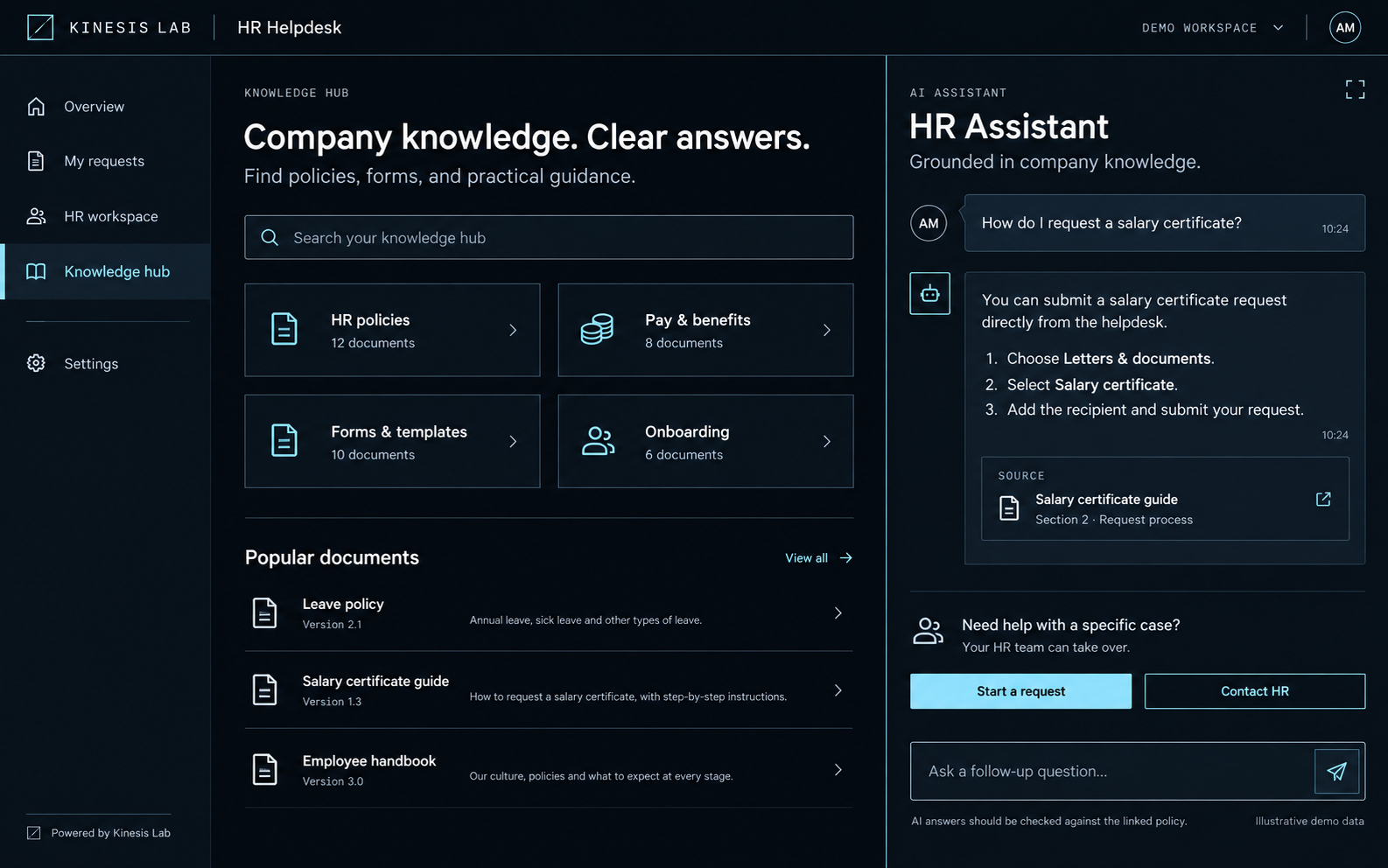
Employees can ask in their own words. The AI assistant is designed to use your approved HR knowledge to explain the process, point to its source, and guide the employee toward the right service.
“How do I request a salary certificate?” or “Where can I find the leave policy?” Start a conversation without knowing the document name or service category.
Guidance is presented with a linked policy or document so employees can review the original information and understand where the answer comes from.
Move from guidance to a request, or contact HR when the question needs personal attention. The assistant sits alongside your people and processes.
Ask a follow-up to clarify a step or explore the guidance further, within the same assistant experience.
Build the knowledge base from your policies, benefits information, forms, and onboarding guidance. Define the content scope and review process with your HR team.
Use AI for everyday guidance, with a clear route to HR for sensitive questions, exceptions, and decisions that need human judgment.
HR support often starts in an inbox, continues in a chat, and ends with another follow-up. Employees lose track of progress. HR teams spend time piecing together the context.
The built-in assistant gives everyday questions a starting point. When guidance is not enough, the connected helpdesk carries the work forward through a request, status updates, and support from the right person.
Designed for the employee asking a question and the HR team moving it forward.
Describe what you need and explore guidance grounded in company knowledge.
Choose the right service and share the details HR needs to help.
See status updates, respond to questions, and keep the conversation together.
Receive an outcome with the request history in one place.
A familiar starting point for everyday needs, with the AI assistant within reach and a visible path to personal support.
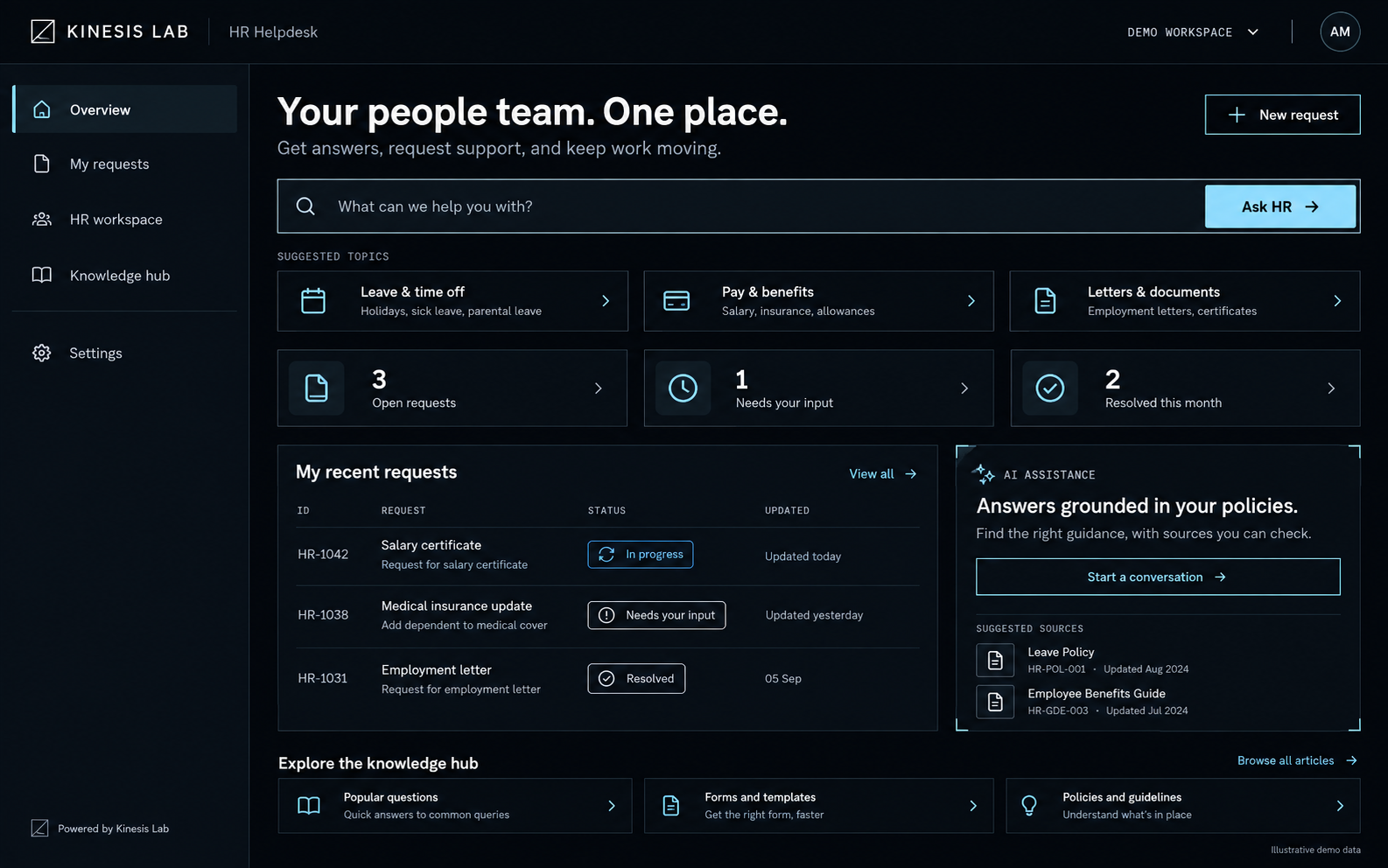
Salary certificates, employment letters, benefits questions, system access, and other HR services in a clear service menu.
A personal request view puts status, recent updates, and outstanding questions within reach.
Bring frequently used forms, templates, and policy documents into the same employee experience.
Move from scattered conversations to a focused service workspace. Give each request the context, ownership, and attention it needs.
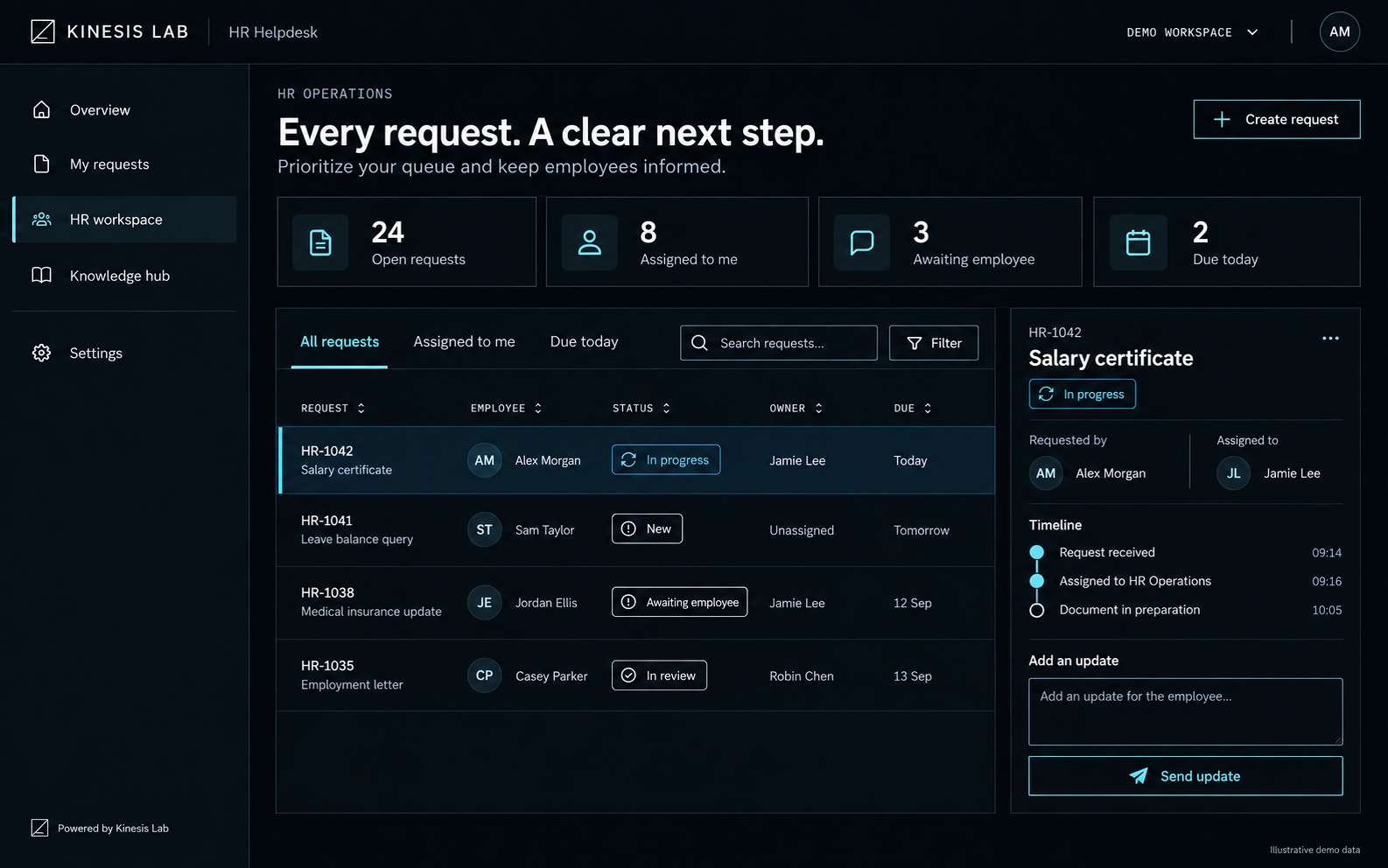
Review open requests, identify cases awaiting input, and focus on upcoming response deadlines.
Keep the assigned HR owner and current status alongside the employee’s request.
Use a case timeline and employee updates to make handovers and follow-ups easier.
The Kinesis Lab identity shown here is a showcase. We shape the solution around your brand, service model, and internal language.
Let’s map your requirements ↗Your logo, colors, naming, and employee-facing content.
Request categories, assignment rules, statuses, and response expectations agreed with your HR team.
Define the assistant’s approved sources, answer scope, review process, and path to human support.
Identity, permissions, and integration requirements scoped around your existing environment.
We define the implementation around your priorities, then validate it with the people who will use it.
Identify common requests, service owners, policies, and gaps in the current experience.
Shape the brand, service catalog, workflows, and knowledge structure.
Review the employee journey, HR operations, and AI answers with your team.
Launch an agreed scope and refine it using feedback and service activity.
Put your HR knowledge to work through a built-in AI assistant.
Let’s shape the experience around your people.